
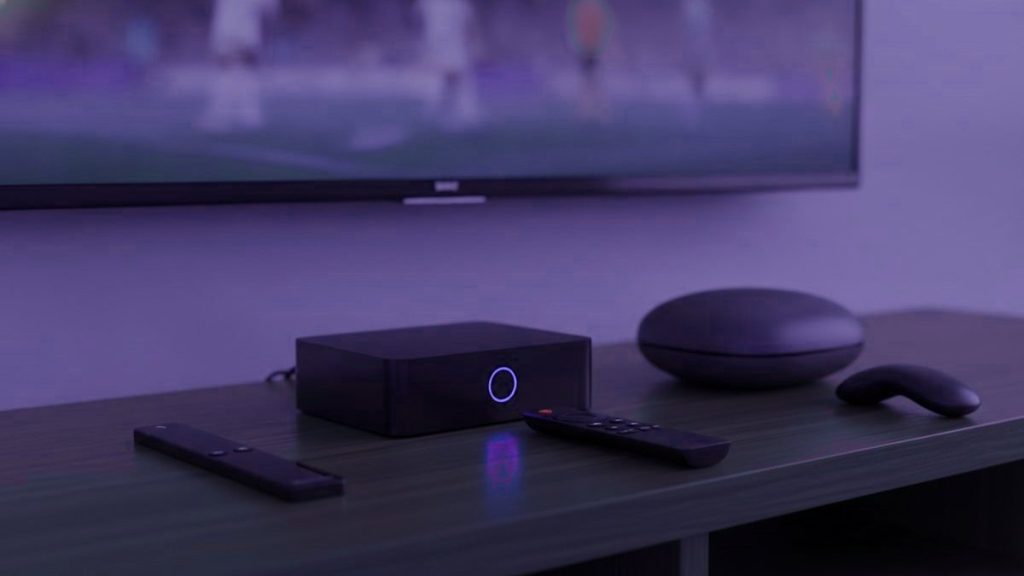
The truth is most people never need a dedicated IPTV box, and the few who do are almost always happier with a $40 stick than a $180 specialist unit. Before any money changes hands, look around the room first — a smart TV built since 2016, a streaming stick you already own, or a laptop will have you watching tonight without spending a cent.
The gist
Begin with whatever is already in the house. If a purchase really is needed, a Fire TV Stick 4K in the $30 to $50 bracket covers almost everyone. Only go higher for a main television that runs daily, or when you want a remote and guide that behave like a proper set-top box.
First, check what is already in the house
- A Samsung or LG set from 2016 or later. Each grabs a player directly from its own app store. Zero extra kit required.
- A Fire TV Stick or Android TV gadget already in use. It is good to go the moment a player is loaded onto it.
- Any phone, tablet or computer. Ideal for a trial run before you tie yourself to anything.
- An Apple TV. The tvOS store carries IPTV Smarters Player, which slots right in.
Fire up the trial on whatever you already have. Confirm the service is one worth keeping before you decide what to run it on — not the reverse.
The full field
| Device | Price | Runs TiViMate? | Our take |
|---|---|---|---|
| Fire TV Stick 4K / Max | $30 – $50 | Sideload it | The go-to for most Canadian homes |
| Chromecast with Google TV | $40 – $50 | Straight from Play Store | Tidier setup, nothing to sideload |
| Generic Android box | $40 – $90 | Most do | Hit and miss. 2 GB of RAM is the floor here |
| Nvidia Shield | $150 – $200 | Runs it fine | The quickest going. Overkill for most |
| Formuler Z11 | $140 – $180 | Plus MyTVOnline | The enthusiast’s choice |
| MAG 5xx | $120 – $160 | No; portal only | Plain, steady, cable-box feel |
| Roku | $30 – $100 | Not at all | Steer clear for IPTV |
Those prices are in US dollars, which is how the hardware tends to be quoted for the IPTV crowd here even though you will pay in Canadian dollars at Best Buy Canada or Amazon.ca.
Why the Fire TV Stick is the value pick
It comes in under the price of a single month of Bell or Rogers cable, deals with 4K without breaking a sweat, and Amazon.ca knocks the price down hard several times a year. The lone catch is that TiViMate is missing from Amazon’s store, so you sideload it through Downloader — a five-minute job, and our Firestick guide calls out each menu as you go.
Give the non-4K Lite a miss unless funds are truly stretched; capped at 1080p, it rather wastes the extra you handed over for Ultra HD channels to begin with.
What your money buys on the pricey boxes
The remote. Buttons made on purpose for the channel list, the guide and your favourites, instead of streaming controls pressed into service. On a television used every day this counts for more than any spec sheet.
No sideloading, full stop. Because a MAG works off a portal locked to the unit itself, nothing ever needs installing or updating on it.
A quicker guide. Dedicated silicon redraws a lengthy channel list markedly faster than a stick labouring over the very same job.
Set against those perks: a price three to five times a stick’s. A living-room set justifies it; a bedroom rarely does. Our MAG and Formuler guide walks through the setup for each.
Why Roku is a poor fit
Roku gear is superb for mainstream streaming, so the instinct to reach for it makes sense — but it allows no sideloading, and its store stocks next to none of the established players. TiViMate is missing altogether. What is left is a slim handful of apps plus screen mirroring, which functions but makes for a poor everyday experience. Already own one? Our Roku guide lays out the two methods that do work. Shopping fresh? Buy something else.
If you go for a generic Android box
- 2 GB of RAM as a floor, 4 for comfort. Go under it and a big channel list drags badly.
- A certified Android TV build rather than a phone one, so TV apps actually surface in the Play Store.
- A wired Ethernet socket. For live streams, a cable outperforms Wi-Fi without fail.
- A name you know. Unbranded units far too often turn up carrying doctored firmware of dubious provenance.
- Disregard the core count. Four quick cores beat eight slow ones, and spec sheets routinely fudge this very number.
The upgrade that outdoes every box
If the complaint is buffering, new hardware is usually money misspent. For $12 an Ethernet adapter resolves more streaming grief than any box, since stuttering is far more often a network fault than a shortage of processing power. Nine o’clock on a weeknight, a room down the hall from the router, half of Vancouver online at once – that is precisely when live TV disintegrates. Run the cable first, before dropping $180 on a box bound to smack into the identical wall.
What we would pick
Nothing at the outset. Put your existing gear to the test. After that, a Fire TV Stick 4K – add an Ethernet adapter when the set is ageing or slow, roughly $50 all in, and that resolves the bulk of situations. Reserve a Formuler or MAG for the one television you park in front of daily.
Each of them works with a Glomax8K login, handed over in plain Xtream Codes form. You will find device-by-device instructions in the setup hub, while the numbers live on the pricing page.
Frequently asked questions
Which IPTV box is best in 2026?
Most households are well served by Amazon's Fire TV Stick 4K Max, around $60, which installs every IPTV app, manages 4K and is quick to configure. Watch daily and want a remote and player built for the job? The Formuler Z11 Pro Max, at roughly $190, fits. For the quickest Android TV silicon going, look to the Nvidia Shield TV Pro near $200.
What is the best budget IPTV box?
Tough to top is the onn. 4K Pro from Walmart Canada at about $50: Ethernet on board, 3 GB of memory, and a Play Store that lets TiViMate go on without any sideloading, while 4K feeds play back cleanly. Prefer Fire OS, or have no Walmart nearby? The Fire TV Stick 4K Max steps in as the obvious alternative.
How much should I expect to pay for a box?
The ladder opens near $50 (onn. 4K Pro) or $60 (Fire TV Stick 4K Max), rises through the $80 to $100 tier for a Google TV Streamer, BuzzTV or MAG 324, and tops out around $190 to $200 for the Nvidia Shield TV Pro or Formuler Z11 Pro Max. Channels arrive on a separate subscription, about $15 monthly or near $6 a month spread over a year.
Does the Formuler Z11 Pro Max justify its price?
When IPTV is a daily habit, it earns its keep: MyTVOnline 5 baked in, purpose-made remote keys, 4 GB of RAM and gigabit Ethernet place it among the smoothest dedicated boxes you can buy. Watch only a night or two each week, though, and a Fire TV Stick 4K Max hands you most of the same for a third of the outlay.
Do I actually need a box for IPTV?
Often not. IPTV apps load straight onto a 2016-or-later Samsung or LG smart TV, a phone, an Apple TV, an Android TV or a computer. A box begins to make sense with an older television, when TiViMate has to run on a non-Android set, or when you want wired Ethernet and a nicer remote.
Are fully loaded IPTV boxes safe to buy?
No. A box that shows up with IPTV apps and a lifetime plan pre-installed tends to die within weeks, frequently runs tampered apps, and has on occasion arrived with malware aboard. Get a clean unit from an ordinary shop such as Best Buy Canada or Amazon.ca, put the apps on yourself, and sign up with a provider that has a real website, a trial and a refund policy.
Catching the hockey this weekend?
One WhatsApp message and your subscription is live under 15 minutes — priced in US dollars, no contract, and 7 days to change your mind.
Related articles
IPTV Glossary: 28 Terms Explained Before You Buy
Twenty-eight IPTV terms explained in plain English, from M3U links and Xtream Codes logins to EPG, catch-up, bitrate, HEVC and resellers, grouped…
19 September 2026IPTV vs Cable in 2026: Cost, Channels, Contracts and Reliability
A side-by-side look at IPTV and cable TV for Canadian homes: what each really costs per month, channel counts, picture quality, contracts…
19 September 2026IPTV vs OTT Streaming: The Real Difference, and Why Homes Keep Both
What actually separates IPTV from OTT streaming: private networks versus the open internet, live channels versus libraries, where subscription IPTV sits between…